
🇺🇸 🦅"Don't be Weak! Don't be Stupid! Don't be a PANICAN... Be Strong, Courageous, and Patient, GREATNESS will be the result!" DJT 🇺🇸 🦅
Linux is your friend, it's free, secure and privacy focused. https://distrowatch.com/
Want to know what direction Microsoft is heading to, click here: https://www.youtube.com/watch?v=C44iCr6czAo
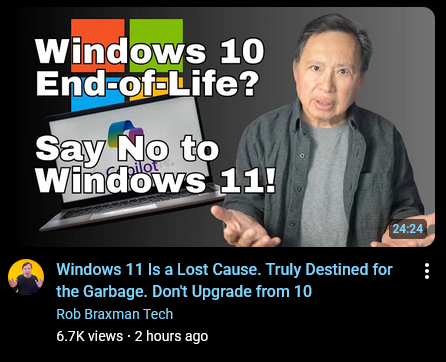

wego.social/DownScale | https://truthsocial.com/@downscale
Yeah... 11 is trash. I'm sticking with 10, I don't care about their updates.
Trump 2020, Fight Like a Flynn ⭐️⭐️⭐️, WWG1WGA, Seth Rich, God Wins 🙏🏻, We Are The Storm 🦅, God Bless America 🇺🇸
I don't care either... but this is not my first time buying a new laptop when overlords decided my laptop was becoming outdated junk (not true, not fair, and never timely). Last year I bought a machine with Win10Pro because my old laptop lost some drivers due to missed updates and I hit a wall of "danged if you do/danged if you don't".
I am going to install Linux on my old laptop and add Linux as a second OS on my newer laptop till I can get my feet under me. Not meant to sway you either way, just adding some thoughts you might be able to use later.
By the way, If you have Linux Mint OS on a USB plugged into your laptop, it won't matter how old your laptop is. Or if it's on your main computer.
If you use the Microsoft OS it always demands that we have to upgrade to a new computer. It seems to be a BIG SCAM. Getting us to spend money unnecessarily. No more of that.

Yay! Thanks, I was thinking I'd have to get a new laptop, but this sounds like a great idea putting it on the usb, too. Once I get it figured out and used to it, I'll have to do the same with the desktop.
Trump 2020, Fight Like a Flynn ⭐️⭐️⭐️, WWG1WGA, Seth Rich, God Wins 🙏🏻, We Are The Storm 🦅, God Bless America 🇺🇸
Amen!
After you get Linux installed, The 1st thing you need to do is take snap shots of your system in it's present state. Take 2-3 of them.
Then, I made the system secure. When you click around just to see what every thing is for, you get pop up tips which is really helpful.
I was the kid in the candy store and down loaded too much software and games. I checked them out and decided to keep 2 or 3 of them.
So I clicked on a snap shot and got rid of all the stuff I down loaded. Then down loaded the 3 that I liked.